

Last Updated: October 26, 2026
Quick Summary
Check console stock by visiting retailer websites directly and looking for stock information on the product page. Enter your postcode to see availability for your delivery area, and verify stock before adding items to your basket to avoid checkout failures.
- Visit retailer websites directly to check product page stock information
- Enter your postcode to see console availability for your delivery area
- Stock availability changes between retailers, so check multiple sites if needed
- Verify stock before adding to basket to avoid wasted time at checkout
- Some retailers offer stock alert preferences you can adjust to match your needs
Table of Contents
- Why Checking Console Stock Matters Before You Order
- How to Check Retailer Stock Online
- Setting Up Console Stock Alerts
- Understanding Console Restock Notifications
- Checking Console Pre-Order Availability
- Verifying Stock Before Adding to Basket
- What to Do When Your Console Goes Out of Stock
- Frequently Asked Questions
Why Checking Console Stock Matters Before You Order
When you're ready to buy a new console, stock availability can make or break your purchase. Nothing's worse than finding the perfect console, adding it to your basket, and discovering it's out of stock at checkout. When you're hunting for a specific model or trying to hit a deadline like a birthday or Christmas, stock availability can be frustrating.
Check console stock before you commit your money. It saves time, reduces disappointment, and helps you plan around delivery times. Some retailers show stock that isn't actually available. Others update their systems slowly. By learning how to verify stock yourself, you'll avoid wasted clicks and checkout failures.
This guide covers practical ways to track console availability. You'll learn how to check stock and what to do when your chosen console sells out.
How to Check Retailer Stock Online
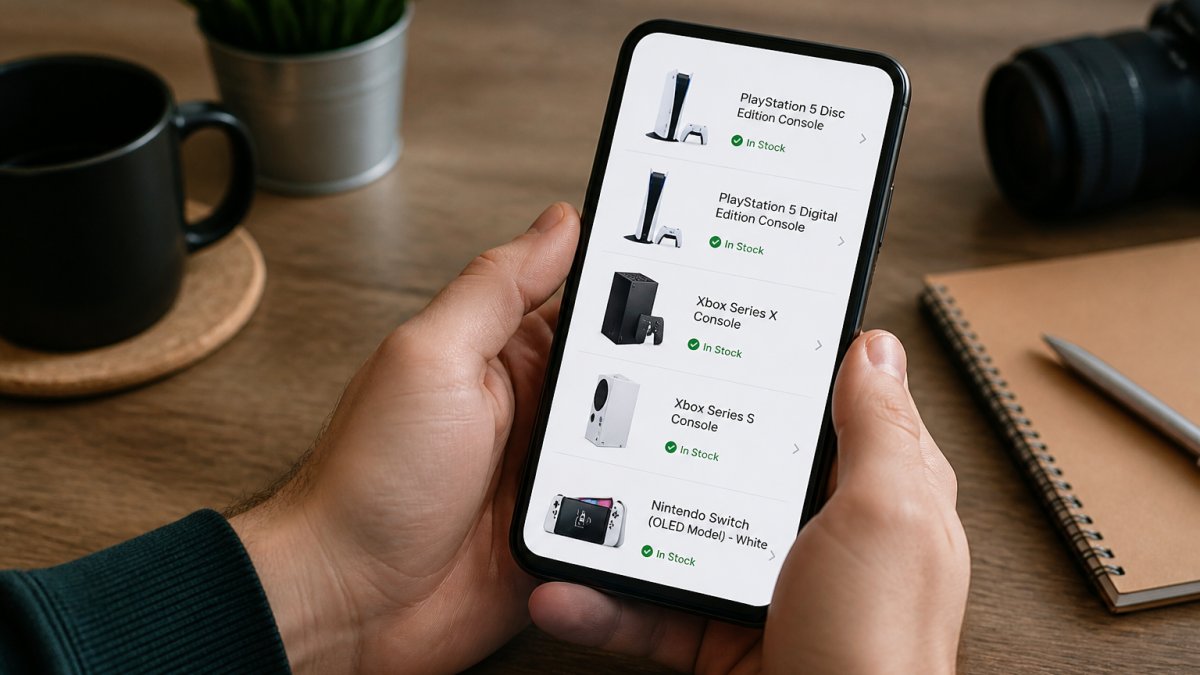
One way to check console stock is to visit retailer websites directly. Check the product page for stock information.
Visiting retailer websites directly
Open the product page for your chosen console. Look for stock information on the product page. If the site asks for your postcode, enter it to see whether it provides stock information for your delivery area.
Stock availability can change. If one retailer shows a console as out of stock, you could check another retailer.
Using stock-checking tools and aggregators
Visit the retailer's website directly to check stock before adding items to your basket.
Setting Up Console Stock Alerts
Some retailers let you set alert preferences. You might choose to be notified only when stock reaches a certain level, or only for specific delivery speeds. Adjust these settings to match your needs.
Understanding Console Restock Notifications
Retailer notifications are most reliable for major chains. Smaller retailers might not have automated alert systems. For those, check their website weekly or sign up for their newsletter to stay informed about restocks.
Checking Console Pre-Order Availability
Check the pre-order options available to see what's currently available.
Verifying Stock Before Adding to Basket
Before you click "Add to Basket," check the product page for stock information.
Check the product page for stock information before proceeding to your basket.
Check the console models available now to see what Gamerium currently has in stock.
What to Do When Your Console Goes Out of Stock
If your first choice sells out, you have several options.
Frequently Asked Questions
How can I check whether a console is really in stock before ordering?
Visit the retailer's website and navigate to the product page for the console you want. Check the page for stock information.
Are console stock alerts accurate?
Stock alerts are generally reliable but not foolproof. They monitor retailer inventory systems and notify you when items become available. However, alerts can arrive seconds after stock sells out, especially for popular consoles. Set up alerts across multiple retailers to increase your chances of catching restocks, and act quickly when you receive a notification. Some alerts have a slight delay of 5-10 minutes, so speed matters.
What should I do if my console order is cancelled because it's out of stock?
Contact the retailer immediately to ask if they can source the item from another warehouse or offer an alternative delivery date. Request a refund if they cannot fulfil the order within your timeframe. Check other retailers' stock simultaneously, use stock alerts and aggregator tools to find the console elsewhere. Consider pre-ordering for the next restock wave if you're willing to wait, as this guarantees your place in the queue when new stock arrives.
How often should I check a retailer's console stock?
Check the retailer's website for stock information when you are considering an order.
Checking console stock takes just a few minutes but saves hours of frustration. Use the methods in this guide, retailer websites, stock aggregators, alerts, and pre-orders, to stay ahead of stock changes. When you're ready to order, Gamerium offers competitive pricing and hassle-free returns within 30 days, so you can buy with confidence. Set up your alerts today, and you'll be among the first to know when your chosen console is available.
